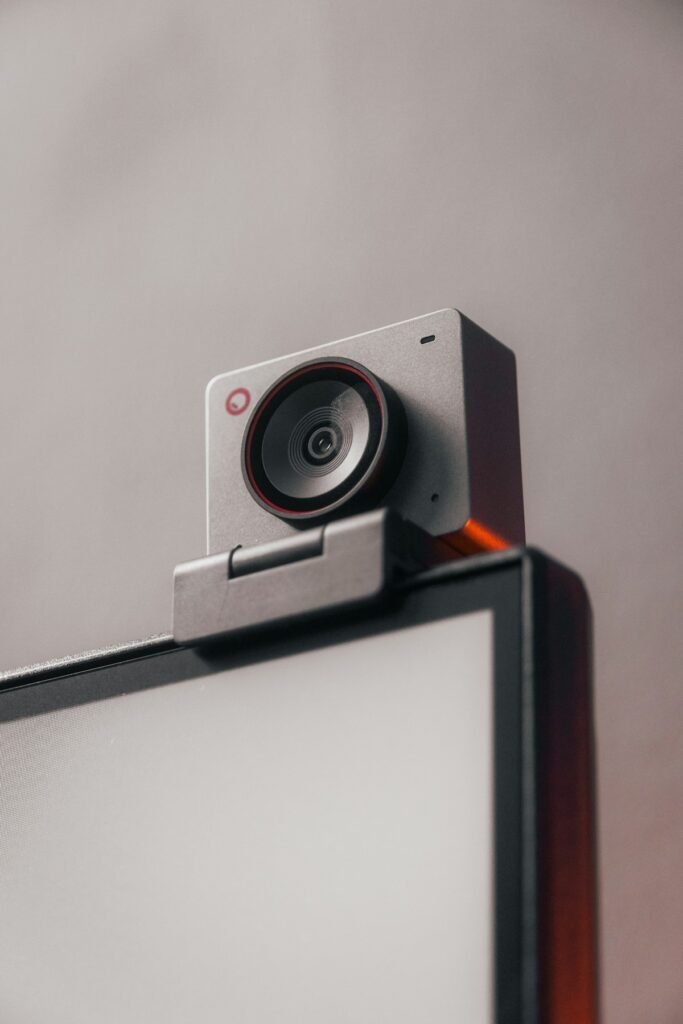
Choose a webcam when a straightforward computer connection and a suitable fixed workspace meet your needs. Consider a mirrorless camera when a particular lens, viewpoint or degree of image control solves a problem your current setup cannot. Make the comparison after accounting for light, capture hardware and continuous power; the camera body alone is not the complete purchase.
Start with the reason you want to upgrade
Record a short sample with your current equipment in the application you actually use. Include normal speech, hand movements and any objects you demonstrate. Inspect the saved result. Identify whether the limitation is framing, focus, noise, exposure, detail, color or unreliable operation.
If the problem is a dimly lit face or a bright window behind you, improve the scene before comparing cameras. If the problem is that a small product cannot be shown sharply at the required distance, lens and focus behavior deserve more attention. A clear diagnosis keeps the comparison tied to an outcome.
Compare three common streaming jobs
A seated presenter
Check whether the webcam’s view suits the desk and whether its focus behavior works at your normal position. A simple setup may already meet the required output. Compare the convenience of starting a call with the extra controls and equipment a separate camera would introduce.
Live product demonstrations
Define the object size and the distance at which you will hold it. Test transitions between your face and the object. A camera-and-lens combination may offer a useful framing option, but verify the actual result rather than assuming an interchangeable lens automatically focuses closely enough.
Movement or a second viewpoint
Decide whether you need a wider view, a second camera or a camera that can move. Include mounts, cable routes and switching between sources. Sometimes a second modest camera at the right angle is more useful than replacing a single camera with a more expensive one.
Check how the camera reaches the computer
A mirrorless camera may use a supported USB streaming function, manufacturer software or HDMI capture. Those paths can offer different video and audio capabilities. Sony’s comparison of its webcam software and USB streaming distinguishes the features of those methods and directs readers to model-specific guidance.
Canon’s webcam compatibility list similarly identifies supported camera and connection options. Confirm the exact body, operating system and intended application. A camera’s internal recording resolution does not establish the resolution available in every streaming path.
Make power and runtime part of the comparison
Check whether the camera can operate for the intended session and how it receives power. Include supported adapters or batteries, cable access and the position of any open compartment. If you will also record internally, verify that the desired combination of functions is supported.
For HDMI capture, Elgato’s camera checklist includes clean output, continuous operation and external power. Use the current instructions for the camera and capture device together, rather than assuming one compatibility claim resolves the whole rig.
Compare the full equipment list
For a webcam setup, include the camera, suitable mounting and any lighting or microphone improvements needed. For a mirrorless setup, include the body, lens, mount, power arrangement, required capture equipment and correct cables. Count equipment you already own separately from new purchases.
Also compare the work needed each time you start. Can the setup stay assembled? Will someone else use it? Can you save the settings? A more adjustable system may be worthwhile when you use those controls, but unnecessary complexity can make a routine stream harder to run.
Evaluate the output viewers actually receive
Use the same lighting, framing and application settings for a meaningful comparison. Review a recording at the intended delivery size. Inspect face detail, product detail, focus transitions and audio synchronization. Do not judge one camera from a polished promotional clip and the other from a dim-room preview.
Run a rehearsal that resembles the real session, including the normal movements and approximate duration. Check that the connection remains stable and the camera stays in the expected mode. Keep a note of the working settings and cable arrangement.
Make the decision from the missing capability
If a webcam provides the required framing, focus and output with a reliable workflow, it is a sound fit. If a verified mirrorless setup provides a specific capability you need, compare its complete cost against that benefit. Choose the arrangement you can demonstrate works, rather than treating the camera category as a quality score.
Models and complete setups to explore
These researched examples illustrate the decisions in this guide. Check each exact variant, the documented limitations and the equipment it needs.
- Logitech C920s Pro HD Webcam — Black webcam with privacy shutter
- Elgato Facecam MK.2 — Black standalone webcam
- Logitech C920s vs Elgato Facecam MK.2: a complete call setup or a separate streaming rig?
- Streaming camera setup checklist: framing, focus, USB, lighting and audio
Sources & fact-checking
Manufacturer documentation and primary references checked 2026-11-02. Specifications can depend on region, hardware revision and selected bundle.