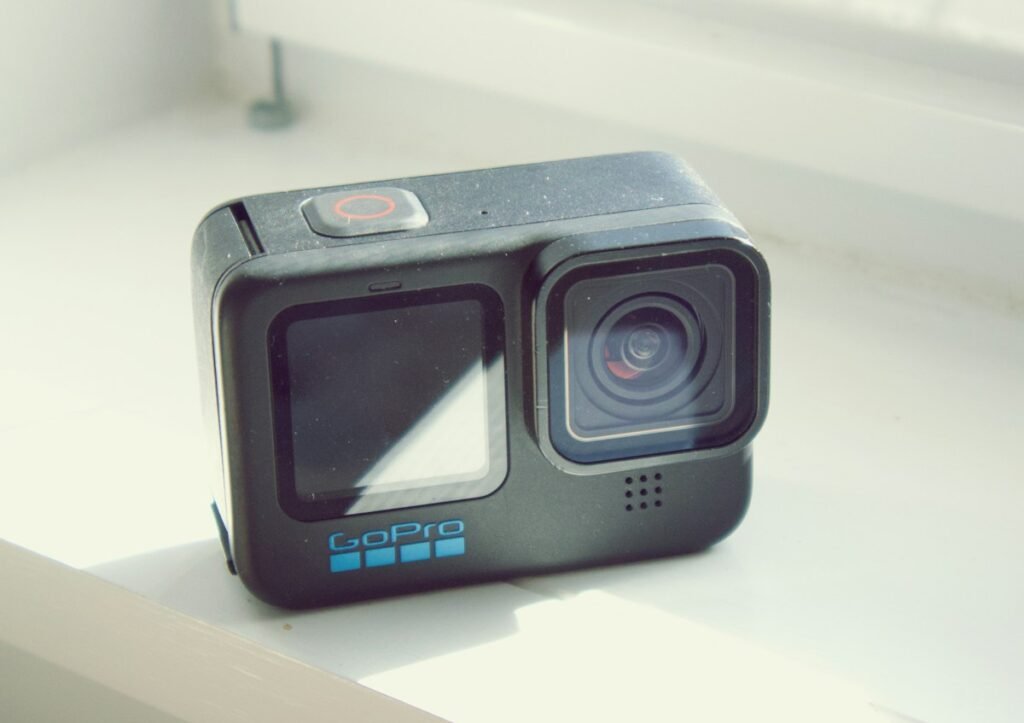
An action camera’s waterproof depth rating is only one part of planning an underwater setup. You also need to check the exact model, condition of its seals, required covers, intended activity and any housing requirements. For a 360 camera, there is an additional question: will the image stitch correctly underwater? Choose equipment for the complete recording task rather than treating a single depth number as a universal permission.
Match the rating to the exact model
Read the camera’s own documentation, not a general description of the brand. Models and housings can have different limits. DJI’s Action 5 Pro documentation, for example, distinguishes use without a waterproof case from use with the specified case and gives conditions for covers and the lens cover. Do not transfer those conditions to another Action model or an unrelated accessory.
Write down the camera, housing if required, planned depth and activity. Swimming near the surface, prolonged underwater recording and high-impact water activity are not necessarily the same use case in the manufacturer’s instructions. Read the exceptions and preparation steps alongside the headline rating before deciding which package to buy.
Check every opening and sealing surface
Battery compartments, ports and lens covers deserve attention before use. Follow the documented inspection and closing procedure, including any visible latch indicators. Insta360’s X5 waterproofing instructions call for clean, intact seals and fully closed covers, and address lens-guard use around water. Small accessories can affect the required preparation, so inspect the camera in the same configuration you intend to use.
Do not assume a used camera retains its original condition simply because the model was sold as waterproof. Check for damage, contamination and any history you can establish. If you cannot confirm a seal or cover is sound, resolve that question before water use. A housing purchase should also be checked for its own condition and correct model fit.
Buy a case for the camera, not just its shape
Compare the housing’s stated compatibility with the exact camera generation. GoPro’s Protective Housing documentation identifies supported models and distinguishes its waterproof backdoor from the supplied skeleton backdoor. An accessory that physically resembles the required part is not enough evidence of correct fit or underwater suitability.
Check how you will operate controls, see the screen and mount the assembled setup. Include the housing in your framing and handling plan. If a different door or opening improves access or sound, verify whether that configuration retains the water protection you need. Do not infer waterproofing from the presence of the outer case alone.
Why underwater 360 footage needs another check
Insta360 documents that the X5’s underwater 360 stitching can be affected by the change from air to water and recommends its Invisible Dive Case for that imaging task. That is separate from the camera’s own water-depth rating. A camera can be within the stated depth range and still need an optical accessory to produce the intended 360 result.
For a 360 purchase, compare the camera and appropriate dive case as a kit. Check the recommended shooting alignment and the editing settings for the accessory used. Our action versus 360 camera guide explains the broader workflow difference. Do not compare camera-only prices if one of your intended uses requires another item.
Plan audio, power and mounting before entering water
Decide whether you need usable ambient sound, spoken narration or silent footage that will be edited later. A protective arrangement can change the recording workflow, and a microphone connection can require access to a normally closed port. Check the exact setup rather than assuming you can add the same microphone and cable used on land. See our action-camera audio guide for the compatibility questions.
Likewise, plan battery capacity and storage before the session. Avoid building a workflow that depends on opening compartments in conditions where the manufacturer’s instructions require the camera to be dry. Check the support for any mount or tether you intend to use, and make sure the finished arrangement does not obstruct the lenses or controls you need.
Follow the documented aftercare
Use the manufacturer’s cleaning and drying instructions for the water conditions involved. Insta360’s X5 instructions describe freshwater care after seawater exposure and waiting until the camera is dry before removing the battery. Follow the relevant instructions for your model rather than improvising with heat or cleaning products. Inspect the equipment before the next use, not only when unpacking it.
Your final checklist should include the exact camera, compatible housing, seals and covers, planned activity, recording mode and aftercare. Verify a representative recording before an important trip where replacement equipment is difficult to obtain. This guide explains documented requirements and purchase decisions; it does not represent a waterproofing test or a guarantee for a particular camera’s physical condition.
Models and complete setups to explore
These researched examples illustrate the decisions in this guide. Check each exact variant, the documented limitations and the equipment it needs.
- DJI Osmo Action 5 Pro Standard Combo — Standard Combo with one battery; not Adventure Combo
- Insta360 X4 Standard Bundle — Standard bundle without microSD card
- DJI Osmo Action 5 Pro vs Insta360 X4: conventional footage or 360 capture?
- Action camera recording setup: choose the mode, mount and export before the trip
Sources & fact-checking
Manufacturer documentation and primary references checked 2026-11-02. Specifications can depend on region, hardware revision and selected bundle.