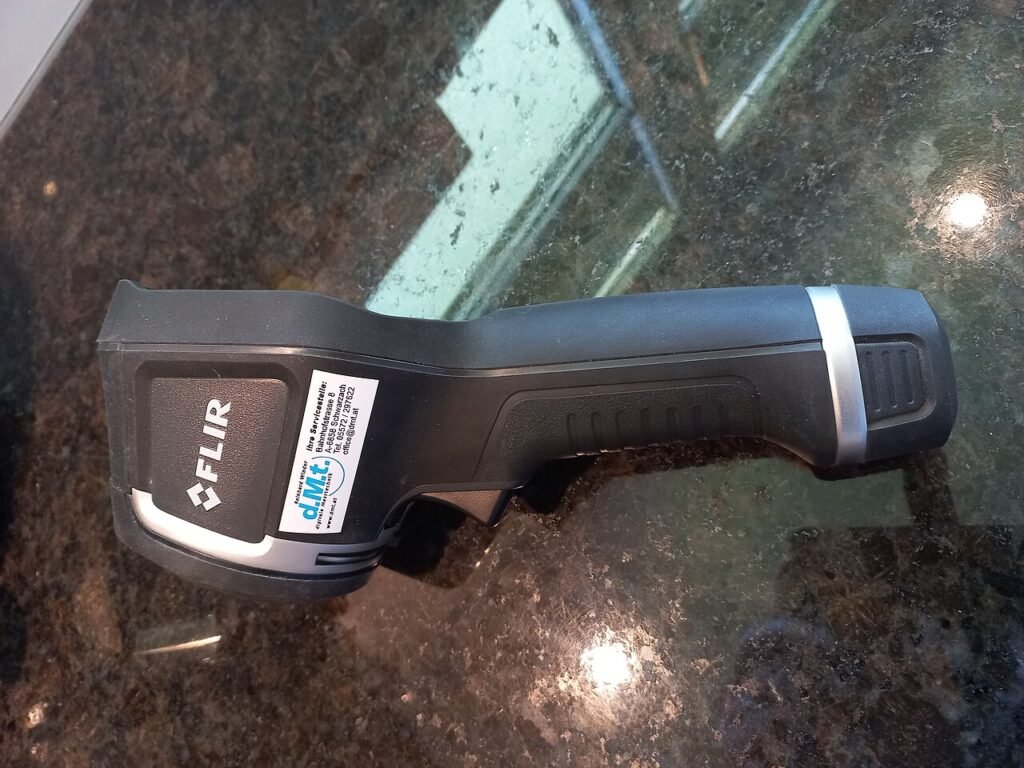
The Klein ET16 and FLIR Edge Pro are not interchangeable inspection cameras. The ET16 places a visible-light camera at the end of a cable so you can examine an accessible space. The Edge Pro records thermal information from surfaces in its view. Choose the kind of evidence you need before comparing cost or resolution.
This is a comparison of inspection methods and published product requirements. HotBoxCams has not performed diagnostic testing with these tools. Neither product, by itself, establishes the cause of a building, plumbing or equipment problem.
Match the tool to the question
| Question | Klein ET16 | FLIR Edge Pro |
|---|---|---|
| Evidence produced | Visible image of an accessible space | Thermal view of surfaces |
| Connection | Compatible Android device with USB OTG | Wireless connection to supported iOS or Android devices |
| Published image specification | 640 × 480 | 160 × 120 native thermal detector; processed 480 × 360 output |
| Positioning | 10-foot gooseneck camera cable | Fixed focus from 30 cm |
| Illumination or interpretation | Six adjustable LEDs | Thermal interpretation depends on surface and conditions |
| Important exclusion | Not an iPhone/iPad borescope | Does not see directly through walls |
Product details come from Klein Tools and FLIR. The latter is currently named Edge Pro; earlier listings may use ONE Edge Pro. Match the actual model number and supported app requirements.
Choose a borescope for a visible detail
An ET16-style workflow begins with a physical route to the area of interest. You may want to inspect an accessible cavity or identify something behind an obstruction. The useful questions are whether the camera can reach safely, whether it can turn toward the target and whether the target can be illuminated and recognized.
Do not buy around an assumed hole size. Klein’s current page contains conflicting head-diameter information, so confirm the dimension that matters before planning a tight opening. Cable length also does not guarantee reach through every bend. A view that is technically reachable may still be difficult to orient or illuminate.
The phone is part of the system. Verify Android compatibility, OTG support, the physical connector and the required application before an important inspection. The camera draws power from the connected device. Keep the phone and connections protected; a rating for the camera head is not a rating for the entire connected assembly.
Choose thermal imaging for a surface pattern
An Edge Pro-style workflow asks whether a surface shows a temperature pattern worth investigating. It can help you document where an apparent difference occurs. It does not independently identify hidden materials, prove moisture or establish why a surface differs from its surroundings.
Interpretation requires context. Record what surface you are looking at, the surrounding conditions and any recent heating, cooling or sunlight. Reflective surfaces can complicate interpretation. If a temperature value will drive a consequential decision, review the instrument’s stated accuracy conditions and obtain an appropriate independent check.
Keep native resolution separate from processing. FLIR’s 480 × 360 processed output should not be described as a 480 × 360 native thermal detector. Compare the actual task: whether the relevant area can be distinguished at your working distance, not simply which exported image has more pixels.
Budget for the inspection workflow
For the ET16, the essential prerequisite is a verified compatible Android device and usable access. For the Edge Pro, confirm current phone operating-system and app support, charging and the file-export workflow. Do not buy either tool on the assumption that every recent phone works.
Plan how you will record the location and orientation. Save a wider context image where appropriate and give files descriptive names. A close view without context can be difficult to use later. Keep originals and note any display adjustments used for interpretation so a later viewer understands the evidence.
A useful decision rule
Choose the visual borescope approach when the question is about a visible detail inside a safely accessible space. Choose the thermal approach when a surface-temperature pattern is the relevant observation. Some projects need both kinds of evidence; that does not make one a substitute for the other.
Before inspection, follow the equipment and site instructions, keep probes away from energized equipment and moving machinery, and avoid forcing an opening or cable route. Use the compatibility checker to organize the device questions, then verify them in the manufacturer’s documentation. A successful inspection produces a clear, contextual record and an honest statement of what remains unknown.
Models and complete setups to explore
These researched examples illustrate the decisions in this guide. Check each exact variant, the documented limitations and the equipment it needs.
- Klein Tools ET16 Android Borescope — USB Android borescope with 10-foot gooseneck
- FLIR Edge Pro Wireless Thermal Camera — Wireless iOS/Android model, formerly listed as FLIR ONE Edge Pro
- Inspection camera setup: choose the evidence, verify the phone and record the context
Sources & fact-checking
Manufacturer documentation and primary references checked 2026-11-02. Specifications can depend on region, hardware revision and selected bundle.