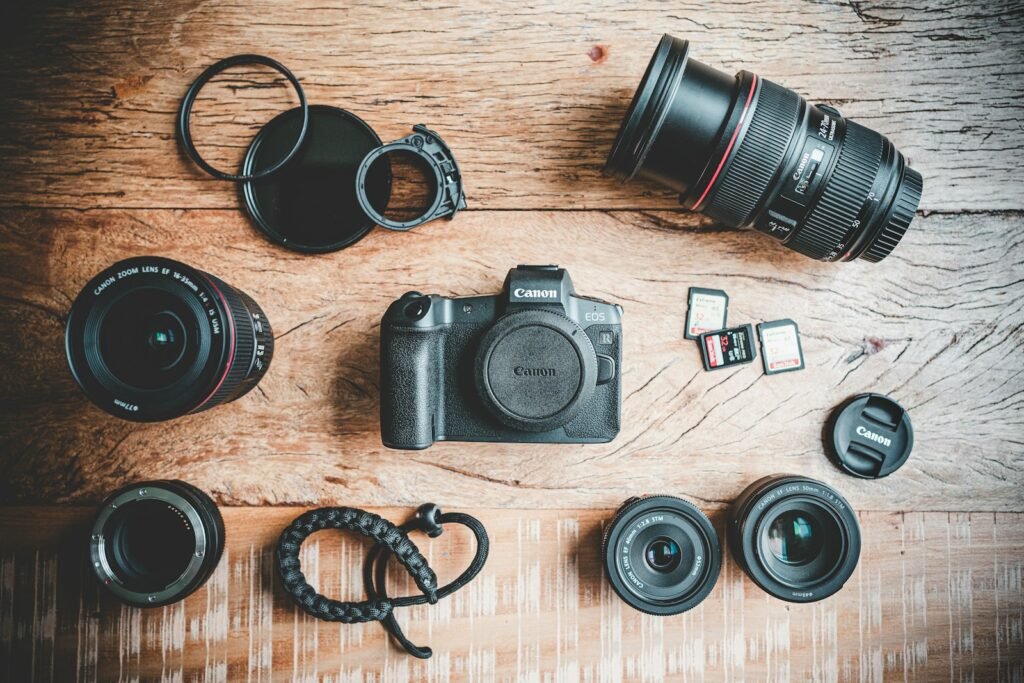
The selected Canon EOS R50 includes an RF-S 18–45mm zoom. The selected Sony ZV-E10 II is a black body only. That difference matters before sensor resolution or video frame rate: the Sony needs a suitable lens added to become a usable camera system. Compare the equipment needed for your actual photographs and videos, including support, light, memory and audio where relevant.
This is a manufacturer-sourced buying comparison, not a hands-on review. We have not measured autofocus reliability, rolling shutter, thermal recording limits or image quality on either camera.
Useful differences at a glance
| Decision | Canon EOS R50 selected kit | Sony ZV-E10 II selected body |
|---|---|---|
| Package | Body plus RF-S 18–45mm lens | Body only |
| Lens system | Canon RF mount | Sony E mount |
| Published sensor resolution | 24.2MP APS-C | 26MP APS-C |
| Useful video distinction | Uncropped 4K up to 30 fps, oversampled from 6K | 4K up to 60 fps; the cited 60p mode has a 1.1× crop |
| First shopping question | Does the included zoom cover the task? | Which compatible lens completes the task? |
These specifications are documented by Canon and Sony. The Sony destination is the second-generation ZV-E10 II, not the original ZV-E10.
For photographs and a first complete kit
The R50 package gives you a known starting lens. That makes it easier to budget a basic tabletop, family or general photography setup without selecting a lens on the same day. It does not mean the included zoom will handle every close-up, wide room or distant subject. Write a sample shot list, including subject size and how far away you can place the camera, before deciding the kit is complete.
For product work, support and controllable lighting can solve problems that another body will not. If labels reflect a bright window, rearranging the light may make the text readable. If several products need consistent scale, mark the camera and subject positions. Those workflow choices matter even when the final image is displayed much smaller than either sensor’s full resolution.
For video and deliberate lens selection
The ZV-E10 II is a candidate when you specifically need its supported video modes and want to choose an E-mount lens around framing, focus distance or size. The purchase is incomplete until that lens is selected. A body-only total can look attractive beside a kit total while hiding an essential expense.
Ask what the finished video will be. A seated introduction, overhead demonstration, handheld walk and slow-motion detail shot have different requirements. Higher frame rates are useful when the delivery or motion treatment calls for them; they should not automatically become the default for every scene. A crop also changes what fits in the frame, so verify the field of view of the chosen lens in the intended mode.
Keep the two lens systems separate
The Canon RF 35mm Macro IS STM profile on this site belongs to a compatible Canon RF setup. Do not add that lens to the Sony body simply because both cameras use interchangeable lenses. The mount is a physical and electronic system, and an adapter requires a specific verified compatibility case rather than a general promise.
Likewise, the word macro should lead to a magnification and working-distance check. A detail photo of a larger item and a life-size reproduction of a tiny object are different jobs. Establish the required framing first; only then decide whether the kit zoom, a closer-focusing lens or another setup is necessary.
Compare finished systems, then test the workflow
Make two lists with the same deliverable at the top. Under Canon, include the kit, an appropriate card, lighting, support and any needed audio. Under Sony, add a compatible lens before the same supporting items. Use the ownership cost calculator with current offers you verify yourself, and the compatibility checker as a prompt to review exact model requirements.
The R50 kit is the clearer starting point when its included zoom and recording modes cover your work. The ZV-E10 II deserves consideration when its video options solve a real requirement and you have budgeted a suitable lens. Before your first important shoot, capture, transfer, edit and export a sample using the exact settings you intend to use. Check focus on small text, color consistency and audio separately. That complete rehearsal exposes missing equipment more effectively than choosing a winner from a specification table.
Models and complete setups to explore
These researched examples illustrate the decisions in this guide. Check each exact variant, the documented limitations and the equipment it needs.
- Canon EOS R50 with RF-S 18–45mm Lens — Black RF-S18-45mm F4.5-6.3 IS STM lens kit
- Sony ZV-E10 II Body — Black body only; no lens
- Tabletop product photography setup: repeatable images from a complete camera kit
Sources & fact-checking
Manufacturer documentation and primary references checked 2026-11-02. Specifications can depend on region, hardware revision and selected bundle.