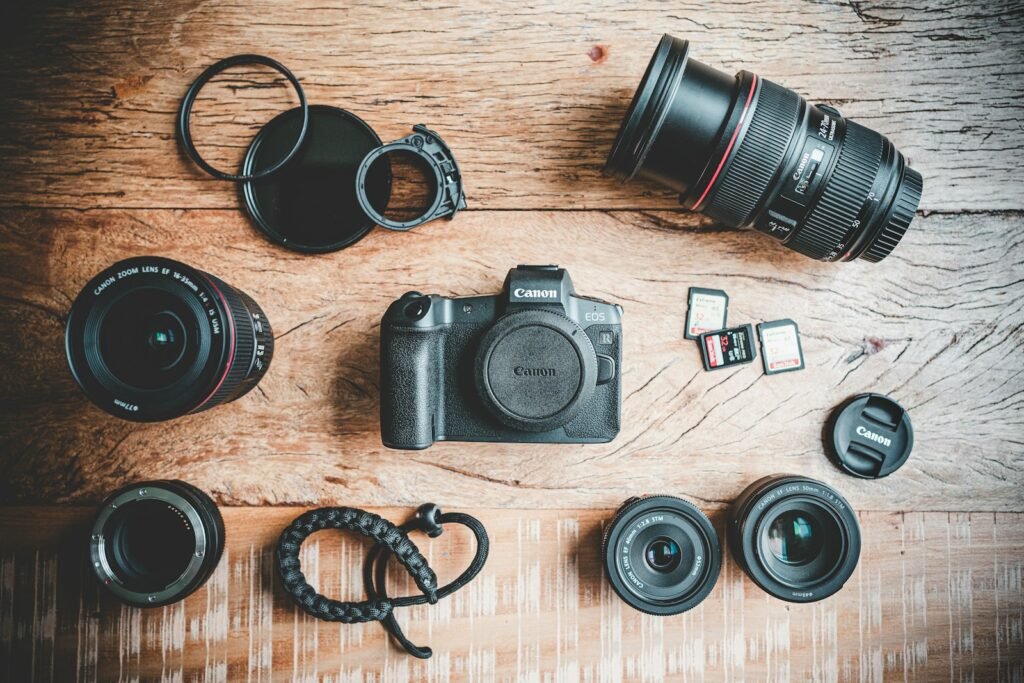
A lens is compatible only in relation to a particular camera and the functions you need. The brand name is not enough, and physical attachment does not guarantee full sensor coverage or every electronic feature. Before buying, identify the complete camera model, lens model and any adapter. Then check how that combination behaves for still photographs and the specific video modes you plan to use.
Browse 28 lenses by camera mount
Choose your camera system first, then compare focal length, sensor coverage and close-focusing requirements. These links open exact-model guides with package details and Amazon destinations.
Canon RF lenses
For EOS R cameras. RF and RF-S share the system, but RF-S has APS-C coverage and uses a cropped image area on full-frame bodies. EF, EF-S and EF-M are different mount families; follow Canon’s compatibility chart and the exact camera manual.
- Canon RF 50mm F1.8 STM
- Canon RF 35mm F1.8 Macro IS STM
- Canon RF 85mm F2 Macro IS STM
- Canon RF 100–400mm F5.6–8 IS USM
Sony E and FE lenses
FE identifies full-frame coverage; Sony’s E-designated lenses below and the listed Sigma DC DN versions are APS-C designs. On a full-frame body, check crop settings and the exact video mode in Sony’s E-mount guidance. Both Sigma listings here are specifically the Sony E variants.
- Sigma 16mm F1.4 DC DN Contemporary — Sony E
- Sigma 18–50mm F2.8 DC DN Contemporary — Sony E
- Sony E 20mm F2.8
- Sony E PZ 10–20mm F4 G
- Sony E 30mm F3.5 Macro
- Sony E 70–350mm F4.5–6.3 G OSS
- FE 20mm F1.8 G
- FE 16–25mm F2.8 G
- FE 35mm F1.8
- FE 40mm F2.5 G
- FE 50mm F1.8
- FE 90mm F2.8 Macro G OSS
Nikon Z lenses
Match Z mount, then check FX or DX coverage. The DX 12–28mm is designed for APS-C. Nikon’s Z 5 manual states that a DX lens fixes still-image capture to the DX area; check your own camera’s still and video modes separately.
- NIKKOR Z DX 12–28mm f/3.5–5.6 PZ VR
- NIKKOR Z 40mm f/2
- 35mm f/1.8 S
- 50mm f/1.8 S
- 85mm f/1.8 S
- NIKKOR Z 24–120mm f/4 S
- NIKKOR Z MC 50mm f/2.8
- NIKKOR Z MC 105mm f/2.8 VR S
Micro Four Thirds lenses
These lenses use the Micro Four Thirds system. The shared mount does not guarantee every maker-specific feature: check Panasonic’s body/lens compatibility tables. Panasonic full-frame L-Mount cameras use a different system.
- Panasonic Leica DG Summilux 9mm F1.7 ASPH.
- Panasonic Lumix G 42.5mm F1.7 ASPH. Power O.I.S.
- Panasonic Leica DG Vario-Elmarit 12–60mm F2.8–4 ASPH. Power O.I.S.
- Panasonic Lumix G Vario 100–300mm F4–5.6 II Power O.I.S.
For tiny subjects, compare maximum magnification as well as minimum focusing distance. Continue with macro versus close-focus lenses before choosing a lens for small details.
Ask four separate questions
First, does the lens mount directly or require an approved adapter? Second, does its image coverage match the camera’s sensor format? Third, which electronic functions are supported? Fourth, does your intended shooting mode impose another limitation? Keeping these questions separate prevents the word compatible from concealing a compromise that matters to your work.
Save the answers as a small equipment record. Include the camera body, lens, adapter model if used, firmware where relevant and the manufacturer’s compatibility source. This is especially useful when buying second-hand equipment or expanding an existing kit, because a similar-looking name can refer to a different mount or generation.
Read the actual mount family
Canon’s lens compatibility guide distinguishes RF, RF-S, EF and EF-S combinations and identifies where an adapter is required. For example, an EF lens on an EOS R body is a different arrangement from an RF lens mounted directly. Do not assume that every lens wearing a Canon label belongs to the same physical system.
Canon’s EOS R specification also distinguishes supported adapted EF/EF-S lenses from EF-M lenses. Use that kind of exact body documentation when a marketplace description is vague. A seller’s broad phrase such as fits Canon mirrorless is not a sufficiently precise purchasing answer.
Understand sensor coverage and crop behavior
Sony’s E-mount guidance explains that APS-C and full-frame lenses and bodies can combine with qualifications. An APS-C lens on a full-frame body can involve APS-C/Super 35 recording, and settings differ by camera and mode. That means a lens can mount successfully while changing the area used for the image.
Ask what the resulting framing and image dimensions will be for your intended work. Cropping changes the recorded field; it does not physically change the lens’s focal length. For a product-photography setup, check whether the combination frames the whole item from your available distance. For video, verify the exact resolution, frame-rate and crop combination in the camera’s own guide.
Check electronic functions one by one
Make a short list of what you depend on: autofocus, continuous subject tracking, aperture control, stabilization, lens corrections or other specific controls. Then look for a documented answer for the precise lens and body combination. Avoid assuming that a successful still-photo autofocus demonstration proves every video-tracking function you need.
If you mainly photograph fixed products on a tripod, your priorities may differ from those of someone following fast action. That does not make one limited combination universally good or bad. It means you should evaluate the limitations against the actual task. The compatibility checker separates function-specific evidence from relationships that have not been verified.
Treat the adapter as another exact product
Record the full adapter model and which direction it adapts. A mount description on each end is not proof that two adapters behave identically. Check the lens’s supported functions through that adapter, any power or firmware requirements, and the physical arrangement when attached. Include the adapter in the total kit cost rather than comparing a lens-only price with a ready-to-use native alternative.
Do not improvise physical attachment when the documented mount does not match. If the manufacturer does not establish support for a desired feature, keep that feature marked unknown until you obtain suitable evidence. You do not need to guess in order to continue comparing other combinations.
Check the listing before ordering
Confirm the mount version, exact model designation, sensor-format description and whether the offer includes a body, lens or bundle. Similar photographs can accompany different variants. Compare the listing with the manufacturer’s identifiers and verify any adapter or accessory you expect to receive. A useful buying guide should link to that exact offer rather than a search page containing several incompatible choices.
When equipment arrives, inspect it and verify your actual workflow within the seller’s applicable return terms. Check framing, required controls and the shooting modes you intend to use. For close-up work, continue with macro versus close-focus lenses; a compatible mount is only the first step toward the magnification and working distance you need.
Models and complete setups to explore
These researched examples illustrate the decisions in this guide. Check each exact variant, the documented limitations and the equipment it needs.
- Canon EOS R50 with RF-S 18–45mm Lens — Black RF-S18-45mm F4.5-6.3 IS STM lens kit
- Sony ZV-E10 II Body — Black body only; no lens
- Canon EOS R50 kit vs Sony ZV-E10 II body: build the camera you actually need
- Tabletop product photography setup: repeatable images from a complete camera kit
Sources & fact-checking
Manufacturer documentation and primary references checked 2026-11-02. Specifications can depend on region, hardware revision and selected bundle.